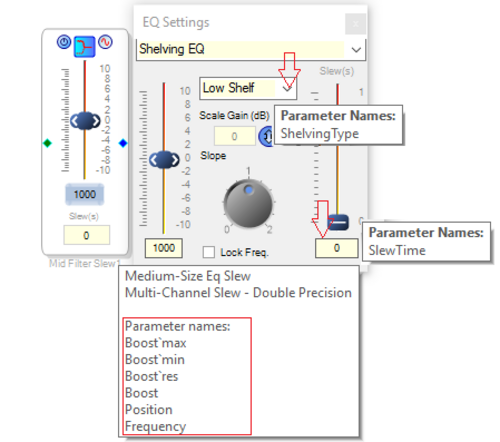
Viewing Control Parameter names
ObjectGetProperties() and ObjectSetProperties() in SigmaStudio scripting interface uses the Parameter name associated with controls, to manipulate or fetch properties or parameters of an object when opcode “setControlValue” is used. Provision to view control value names as ToolTip information has been added
Usage
To view/hide control parameter names for any schematic, the “View Control Parameters Names”/ “Hide Control Parameter Names” option in the Action menu has to selected as shown below.
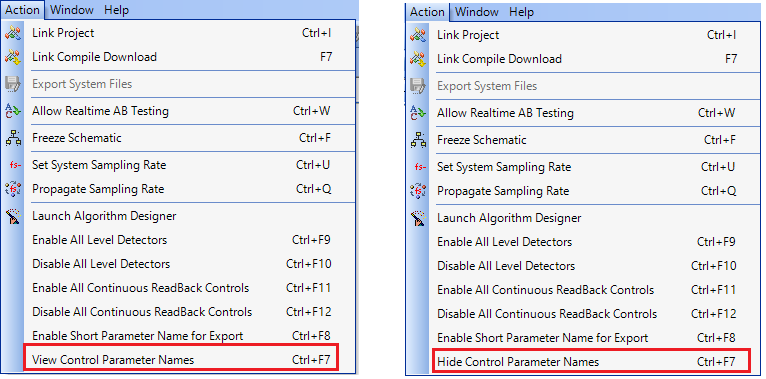
When “View Control Parameters Names” option is selected Parameters names for SigmaStudio modules can be viewed in one of the three ways mentioned below
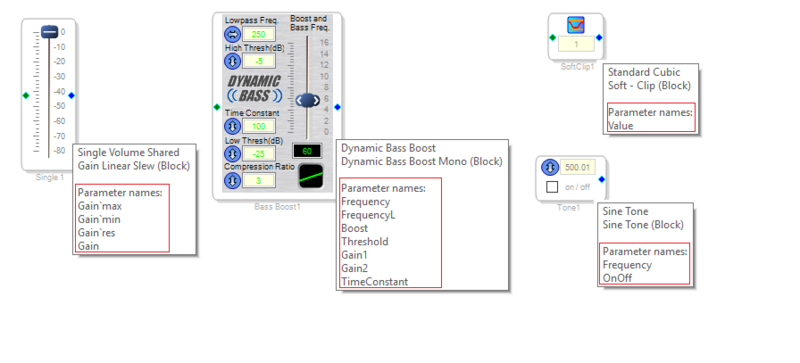
- As a Cell tooltip on hovering the mouse over the corners of the cell as shown below
- As Control tooltip on hovering the mouse over the respective control as shown below.
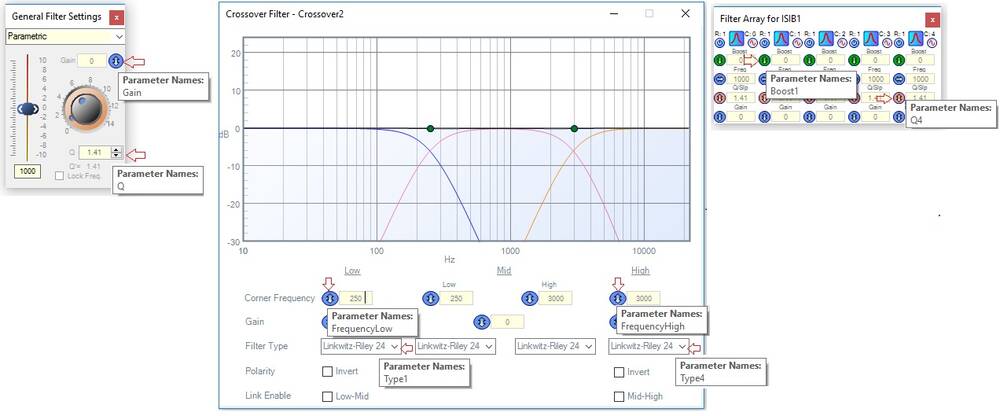
- As combination of Cell and Control tooltips mentioned above in 1 and 2.