Schematic Settings (Presets)
Settings are a snapshot of all control values (knobs, sliders, spin-controls, and combo-boxes) which are saved to a settings file (*.bin). Settings include: the block(s) name(s), all control values, and the min/max and step size for any knobs or sliders. Settings files can be saved and recalled within a project and imported or exported between projects.
It is possible to copy/paste settings among blocks, hierarchy boards, and projects. When pasting settings between projects or hierarchy boards, the blocks names are used for identification; pasted settings are applied to blocks that have the same name in both the source and destination schematics.
Settings can be saved for:
- Individual Schematic Blocks (Cell Settings)
- Hierarchy Boards (Board Settings)
- Complete Project Schematics (Project Settings)
Cell Settings:
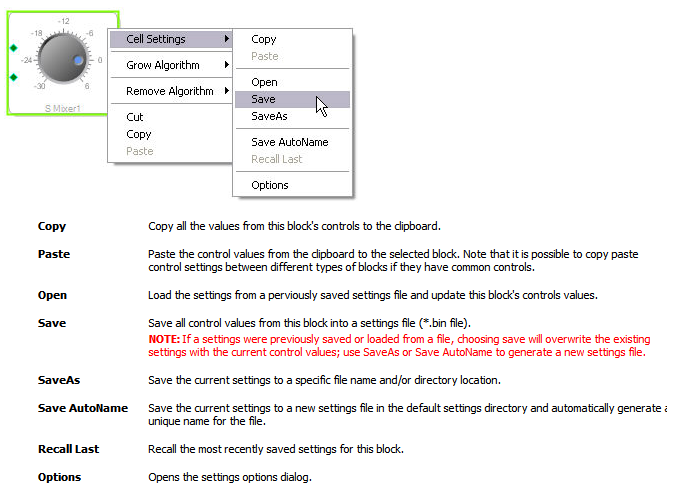
To manage settings for an individual block, right click on the block's border or label and select Cell Settings from the pop-up menu:
Board Settings:
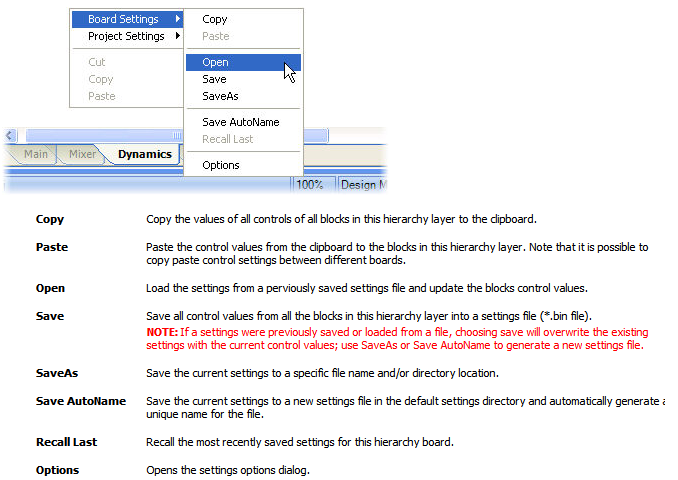
To manage the settings for a hierarchy board (the settings of all blocks contained in the hierarchy board tab), select the hierarchy tab at the bottom of the schematic window, then right click in the schematic window and select Board Settings from the pop-up menu:
Project Settings:
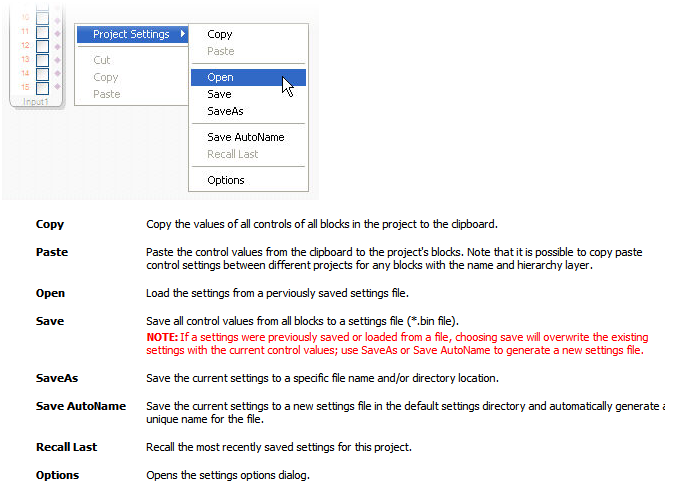
To manage the settings for an entire project, right click in the schematic window and select Project Settings from the pop-up menu:
Setting History:
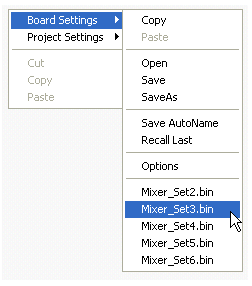
The most recent settings that are saved or opened will be displayed at the bottom of the settings menu as shown below. Note, you can clear the settings history or customize the history size in the settings options dialog.
Block Settings Example:
| 1. Examine the Volume block's values shown below: | 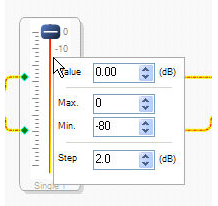 |
| 2. Save the block's settings to a settings file: This generates a file in the application's settings directory, in this example the file created is named “Single 1_Set0.bin” and located in the directory C:\Program Files\Analog Devices Inc\SigmaStudio 3.0\Settings\Design 1\. | 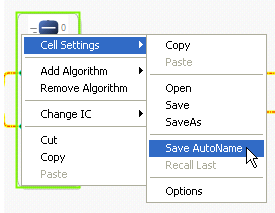 |
| 3. If you right click the block again you will see the newly setting file listed: | 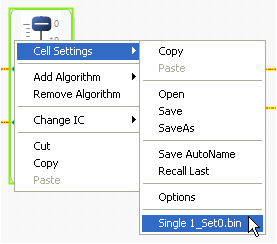 |
| 4. Now, change the slider control's values: | 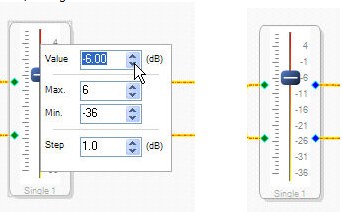 |
| 5. Next, save the blocks values to another settings file: | 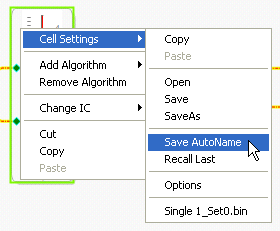 |
| 6. Now there are two settings files which can be recalled at any time: | 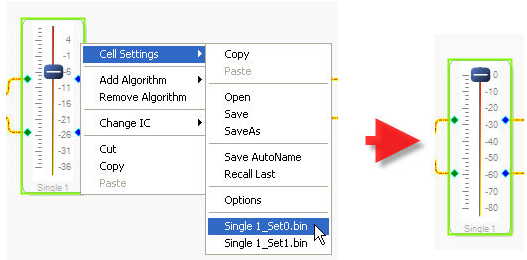 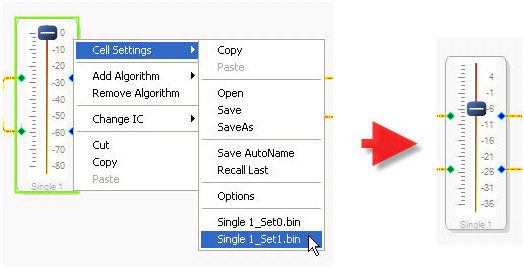 |