Flash Downloader
The Flash Downloader lets you store your compiled projects to the flash RAM on the USB Serial Converter board. Eight slots are available. This allows quick comparisons among projects; you can Link-Compile-Download each project to RAM and then switch easily among them.
Steps
- Compile the project you want to download.
- Click the Hardware Configuration tab at the top of the workspace.
- Right-click the Communication Channel block.
- Select Open Flash Downloader from the menu.
- Enter the Program Location to be stored. (Note: The Program Location number listed on the popup window begins with 1, whereas the rotary switch on the USB converter board begins with 0; please adjust accordingly).
- Click Download to Flash.
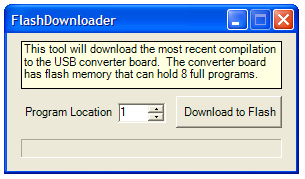
Now your project is accessible in the Program Location you entered. Select it on the USB board and push Program Load.