This is an old revision of the document!
Tree Toolbox and Toolbox Windows
The Tree Toolbox and Toolbox windows contain the building blocks for constructing your design. For more information about the building blocks available in SigmaStudio and their usage, see the ToolBox topic.
To show or hide the Toolbox windows select “Tree ToolBox” or “ToolBox” in the main application's View menu or by clicking the buttons on the Standard Toolbar. By default these windows are docked on the left side of the program window.
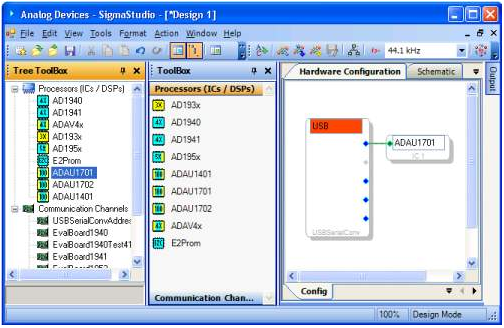
Select the Hardware Configuration tab to display Processor blocks (ICs and DSPs) and USB communication blocks. Selecting the Schematic tab will display system and DSP building blocks.
Tree ToolBox
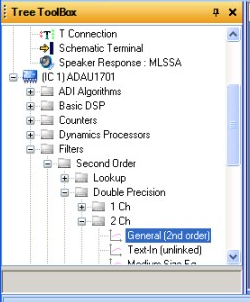
The Tree Toolbox window displays the available building blocks in a tree view. In the example below, the project contains is an ADAU1701 DSP named IC1. System blocks are arranged in a hierarchy of folders according to function and algorithm. Navigate the folders to find a desired algorithm block and drag and drop it into the schematic window.
Toolbox
The Toolbox window is organized into a series or Tabs representing the different algorithm categories. Click a library topic to expand the list and see the blocks you can drop into your schematic. The available blocks depend on which IC(s) or DSP(s) are inserted in the Hardware Configuration tab.
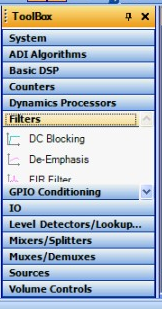
Unlike the “Tree Toolbox”, Toolbox blocks can represent more than one algorithm at a time (for example single or double precision filters) requiring an additional step of algorithm selection after dropping the block in the schematic. See the Adding and Growing Algorithms for more information.