This is an old revision of the document!
Hierarchy Input
The Hierarchy input block is used to create signal inputs into a Schematic Hierarchy Tab. Hierarchy Boards are helpful for large schematic designs and for organizing design components.

For more information about Hierarchy Boards, see the Hierarchy Boards topic.
To create a Hierarchy Input:
- Select a hierarchy board tab at the bottom of the Schematic window.
- Drag a Hierarchy Input block into the schematic.
- This will create a Hierarchy Input block in the schematic and a corresponding input pin on the Hierarchy Board block.
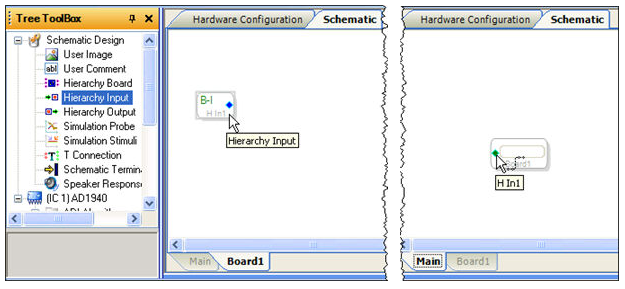
Note: To see determine which Hierarchy input block belongs to a Hierarchy board input pin, hover the mouse pointer above the Hierarchy board pin and the input block's name will be displayed in the tool-tip (as in the image above).
See the Hierarchy Board System Example for a sample hierarchy board design.