Debug 2156x_ez_kit in CCES with ICE 1000
Hi,
I purchased a ADSP-2156x_EZ-KIT_1.0.1and ICE 1000 debugger 1.2. I downloaded and installed the latest CCES 2.9.4.0 and ADSP-2156x_EZ-KIT-Rel1.0.1 Board Support Package. After connecting the board and debugger to my PC I Imported and installed the LEDBlink example and built it. When I Debug the project I get the following on the console:
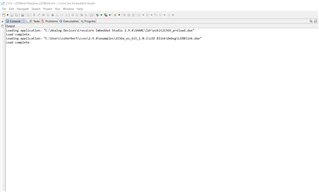
Loading application: "C:\Analog Devices\CrossCore Embedded Studio 2.9.4\SHARC\ldr\ezkit21569_preload.dxe"
Load complete.
Loading application: "C:\Users\ssherbert\cces\2.9.4\examples\2156x_ez_kit_1.0.1\LED Blink\Debug\LEDBlink.dxe"
Load complete
None of the debug tools are enabled on the task bar. The emulator blinks while loading the program. Not sure why the IDE does not run to main and stop with the debug tools enabled?
.
dsp
sharc
ice-1000
cross core
jtag
evaluation_board
ez-kit
Show More
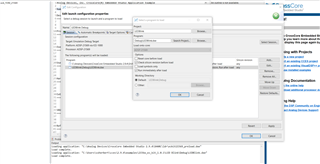
Found resolution in another thread:
The Debug perspective includes the Debug view by default. To add the Debug view to the current perspective, choose Window > ShowView > Other > Debug > Debug and click OK.
Please log in to reply.