How to condense user made schematic blocks
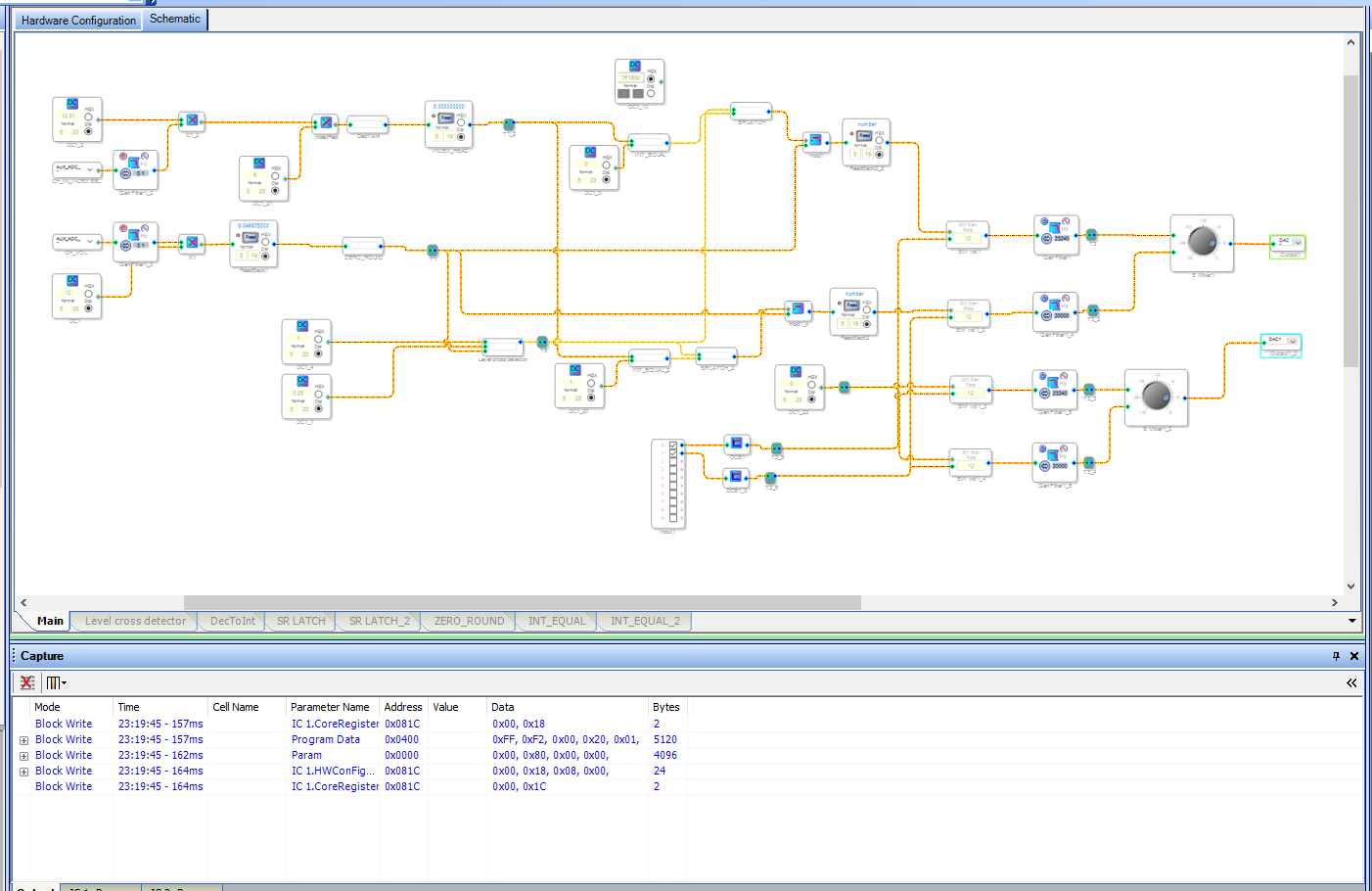
I am brand new to SigmaStudio/ADUA170x family/DSP in general. I have successfully implemented a (somewhat) scalable mixer featuring the following:
Input Channel index selectable through an external ADC pot
Volume control of indexed input channel through a separate ext. ADC pot
When switching channels, volume setting is preserved. Upon returning to a previously channel, volume will not change until the knob has been physically set back to around 0
Question is, as I want to expand to more input channels and eventually make it multi-output (individually controlled), I would like to make it look cleaner. Is there a better way to wrap my user defined blocks into a general block I can copy/paste around? I tried to to do so, but having block schematics in block schematics gets very weird and can even end up breaking certain functions, such as the SR latches. A way to right custom algorithms would be nice. You can see the multiple user blocks I have, but it is starting to get very messy, very quick. I've seen some things where others are using what looks to be a global pin, but not sure where to find that in the SigmaStudio 4.7 UI.
Audio Signal Processors
Audio Products
software
4.7
blocks
SigmaDSP Audio Processors
adau1701
Show More
ADI North America will be on winter shutdown starting December 25, 2023; perhaps another community member can assist you until our return on January 8, 2024.
Hello NOCOMPANY,
I suggest you look into using hierarchy boards:
(+) [Tutorial] Using Hierarchy Boards to create re-usable code - Documents - SigmaDSP Processors & SigmaStudio Dev. Tool - EngineerZone (analog.com)
That is the best way to simplify complicated schematics and make sections easy to copy.
Dave T
Please log in to reply.