Microphone MI-3111 doesn't work
Hello, I have an adau1467 eval board. I connected my MI-3111 microphone and stereo output to the board and read the adau1467 user guide. But I want to get sound from the microphone and output from my stereo speaker. I am new to sigma studio and analog device. Thanks in advance for your help.
Audio Signal Processors
ADAU1467 Evaluation board
Audio Products
software
ADAU1467 SigmaStudio SigmaDSP
adau1467
adau1467z
SigmaDSP Audio Processors
Show More
Hello ofm,
I see it's an analog mic. Does it have a preamp circuit inbuilt? or are you using any preamp circuit?
Note that the Eval board is designed only for line level signals, so any Mic input needs pre amplification.
Where did you connect the analog Mic?
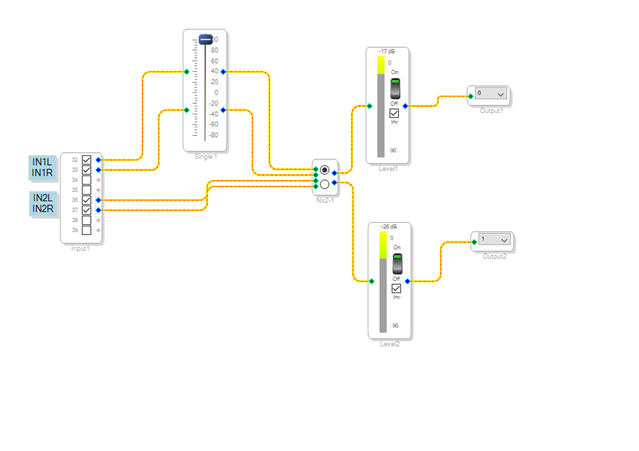
Are you connecting it at IN1L/INR test point on the board? If you connect it at IN2L/IN2R then you need to enable a SDATAIO4 register. I have attached a project where those registers are enabled. You can directly connect your mic at any test point (IN1L/IN1R/IN2L/IN2R) and check it.
If it you still have difficulties, then please attach a picture of how you are connecting the Mic. maybe the entire setup.
I have tested this project with an analog mic that I have here. it works fine.
Microphone MI-3111 test.dspproj
Regards,
Harish
thank you very much but it did not work in the example you gave, I connect my microphone to ch 32-33, which is in1.
even though I added this, I only get a buzzing sound in the system.
Hello ofm,
Are you connecting your mic directly to the audio jack input on the eval board?
Could you please send us a picture of your hardware setup?
Regards,
Harish
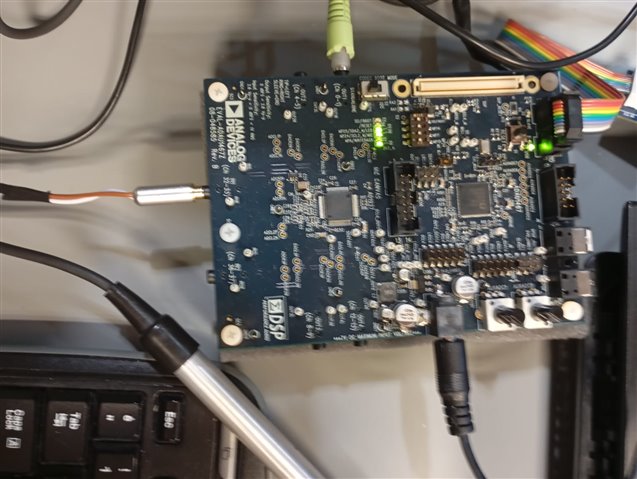
Thanks for your quick reply, this is my connection. Yes my microphone directly connecting audio jack input
Hello ofm,
I suspect the Mic is not powered up. The connectors on the eval board are not setup to apply power. So, you will need to add an off-board circuitry to power the mic. It seems like your mic is directly connected to the audio jack and it's certainly a wiring problem. I can only see the connector in the picture, please send us the picture of entire mic setup, from the Mic to the connector. I may have to see how it's wired.
Regards,
Harish
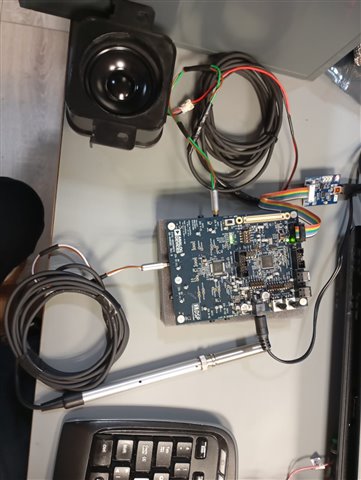
Here's my connection. The microphone works when I try windows through audocity.
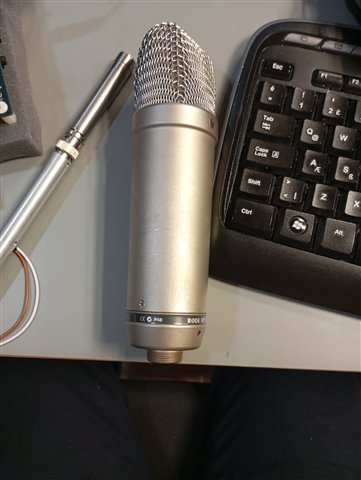
I have a rode nt1-A condenser microphone, if I connect it with xlr to jack, can I solve this problem?
This can be assumed as answered either via email or PM.
Hello ofm,
The Rode is a condenser microphone and so it will need 48V phantom power which is not available on our evaluation board. Also, the wiring looks like it is either unshielded or a length of it is unshielded. This will pick up a LOT of hum from the environment. This is the wiring problem that Harrish mentioned. Also, you will need to apply power to the mic. There are battery phantom power packs you can purchase but I suggest you get a proper mic preamp and then take a line level signal from the preamp to the evaluation board.
Also, a microphone is best amplified using a differential amplifier and our board inputs are single ended because they are designed for line level signals.
Dave T
Please log in to reply.