ADAU1701 Interface register read value incorrect
Hi Guys,
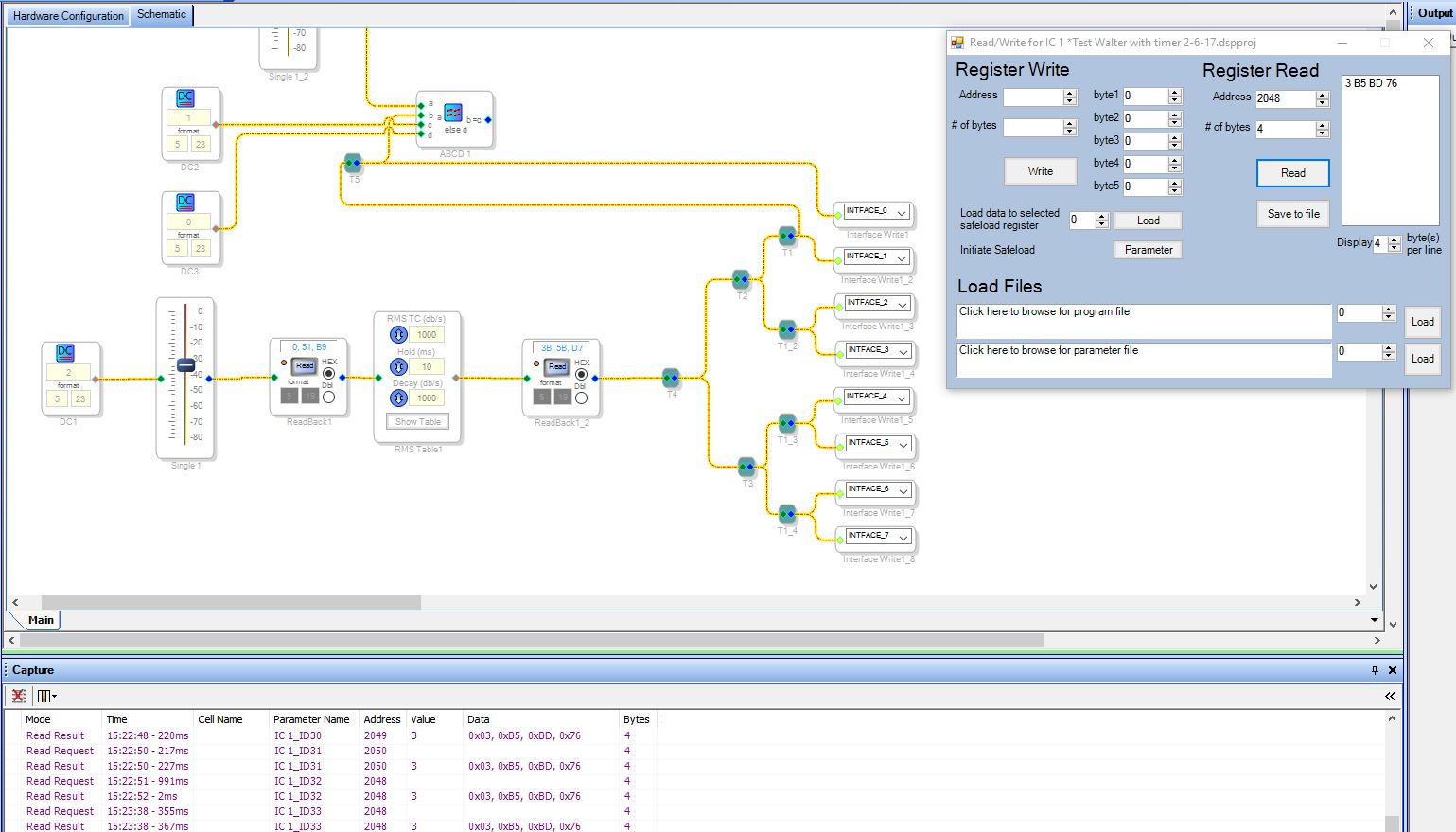
I am planning to use 6 interface registers to store the ouput data of 6 RMS tables for an Arduino to read through I2C. When reading the data with the test setup shown below the data was shifted and an extra character was added at the end. When I read the register with the read/write window the same thing happens and is also shown below.
Why is this happening and how do I get the correct data to show up, as shown in the 2nd DSP readback from the left? Other register values seem to be read right. I can for example find the exact value shown in the 1st DSP readback.
Audio Signal Processors
SigmaDSP Audio Processors
adau1701
Hello,
It appears what you're seeing in the Read/Write window is the most correct representation of the register value -- if you look below, at the Capture tab, you'll see that it's the same as in the window. This makes sense, because that register is four bytes, and what's being displayed in the Interface Readback block only shows three.
As far as why the readback block is truncating the data, I will check with our software team to see if that is a GUI error or a deliberate design, and get back to you.
Regards,
Tyler
Hello Jeroen,
This is one of our early generations of SigmaDSP and there are some limitation on the DSP readback function. The trap mechanism internally that traps the value to display it is only 24 bits wide. So the limitation exists in the trap mechanism in hardware and is not a bug. You will find example in this forum where you see people multiplying by 16 to see the lower four bits in the Readback display in SigmaStudio. The data is there in the core but it is being truncated when it is trapped. The newer processors do not have this limitation. So you cannot see the lower nibble on the screen directly, you have to multiply it out to bring up the lower nibble.
Most of the time for fixed point real numbers the last nibble is not important to see on the screen in real time. The place this becomes an issue is when trying to look at unsigned numbers driving indexed controls and need to see the lower bits.
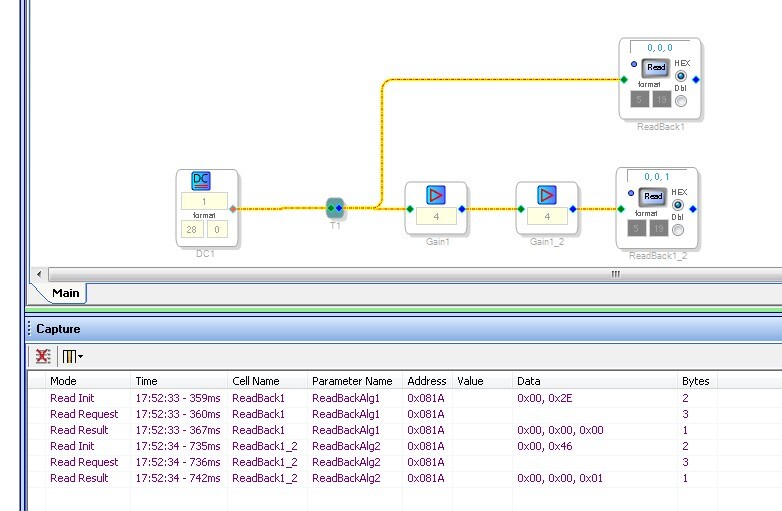
Also, you cannot directly multiply by 16 because the 5.23 number will only go up to 15 so you need to use two linear gain cells with each multiplying by 4.
I threw together this little project to show this.
Dave T
Please log in to reply.